Create tasks, get smart notifications, update statuses, search pages, and even view Discord channels inside Notion - without constant context switching.
14-day free trial · No credit card required · Works with your existing Notion workspace and Discord server
Everything maps 1-to-1 to how your team already uses Notion and Discord.
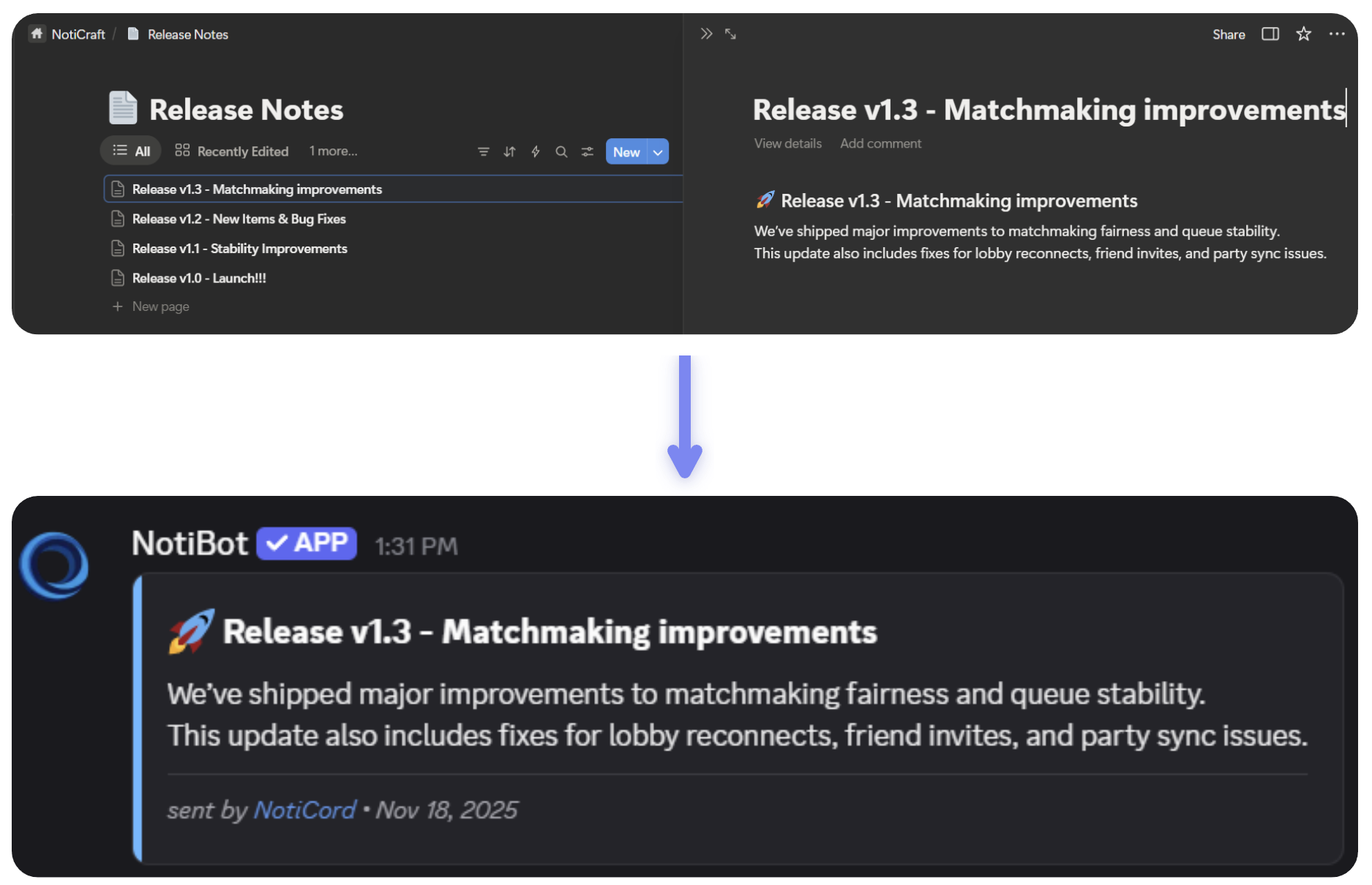
Send rich Notion updates to the channels that care, with filters so you only see what matters.
Learn more →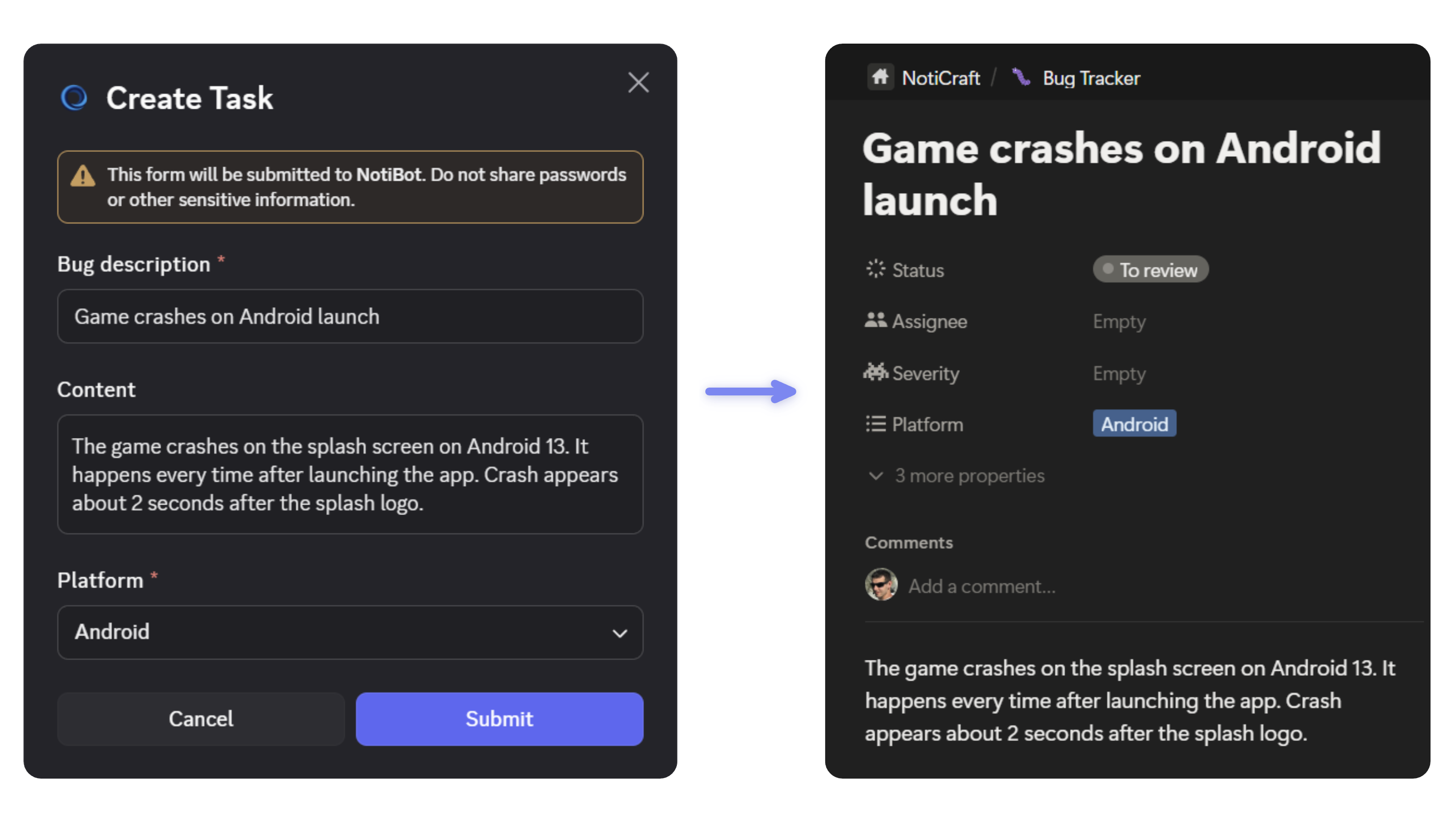
Create tasks with custom commands like /bug or /task, then track everything assigned to you with /my-tasks - your personal task list, always up to date.
Learn more →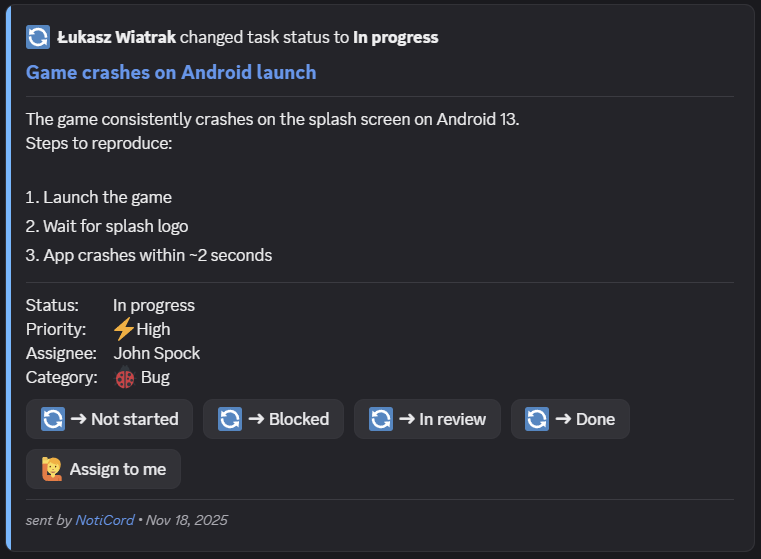
Change status or "Assign to me" directly on a NotiCord card - Notion updates instantly, without leaving Discord.
Learn more →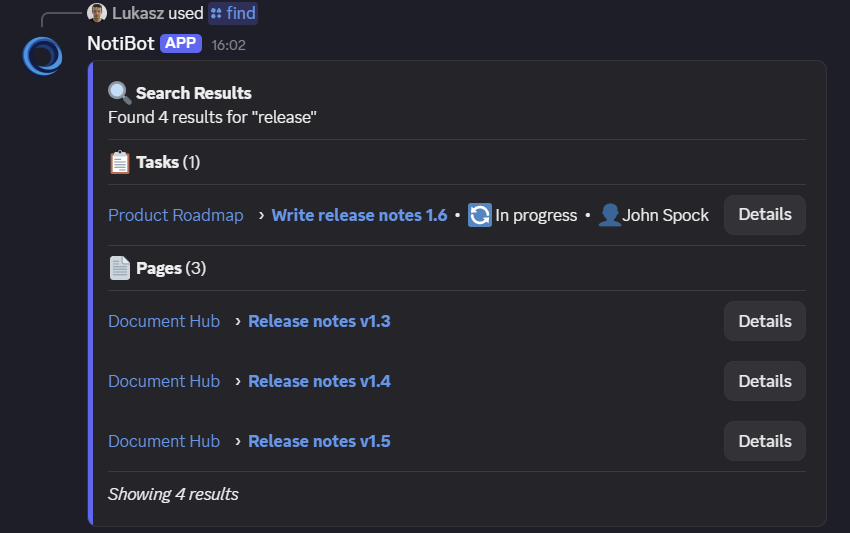
Pull up any Notion page or task by title from Discord, with status and assignee visible before you click.
Learn more →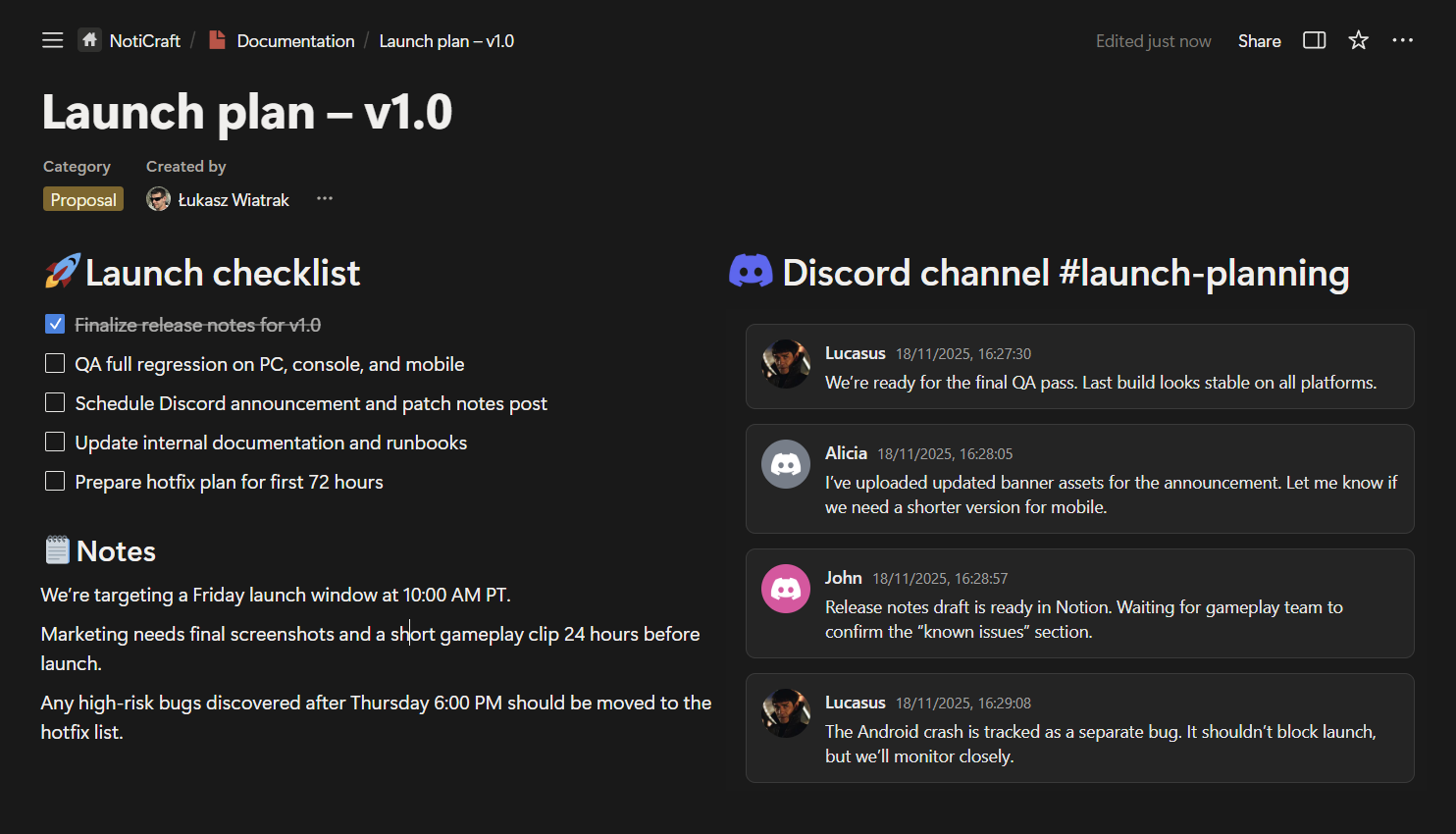
View Discord channels inside Notion with a secure, read-only viewer so docs and discussions stay in sync.
Learn more →Works with your existing Notion databases and Discord channels.
Install the bot, connect your Discord server, and authorize NotiCord with your Notion workspace. Share the databases you want to use.
Pick which Notion databases should behave as tasks, map status/assignee properties, and add commands like /bug or /task.
Create notification rules per database and channel, turn on quick actions, and ask teammates to start using the commands.
Watch how NotiCord connects Notion and Discord in a real workflow - from creating a task to completing it, without leaving your server.
Real setup and usage inside Discord and Notion.
Enterprise-grade security on Microsoft Azure (EU). We never store your Notion content or Discord messages - just configuration and IDs needed to run the integration.
View Trust Center →No. You choose which databases to watch, which events to send (create vs update), and which properties/statuses should trigger notifications.
Usually not. Point NotiCord at your existing databases, map the right fields, and you're ready - you can refine rules over time.
Almost everything for daily work. Create tasks, check your personal task list with /my-tasks, change status, search pages, and follow updates - all from Discord. You'll only need Notion for complex edits or database configuration.
Add NotiCord to your server and start your free trial in a few minutes.
14-day free trial • No credit card required • View pricing